

Knowledge types
Arklex supports two types of knowledge sources, both chunked and indexed so the simulated user can draw on their contents when forming conversation turns:Add documents
Navigate to Knowledge and select the Documents tab.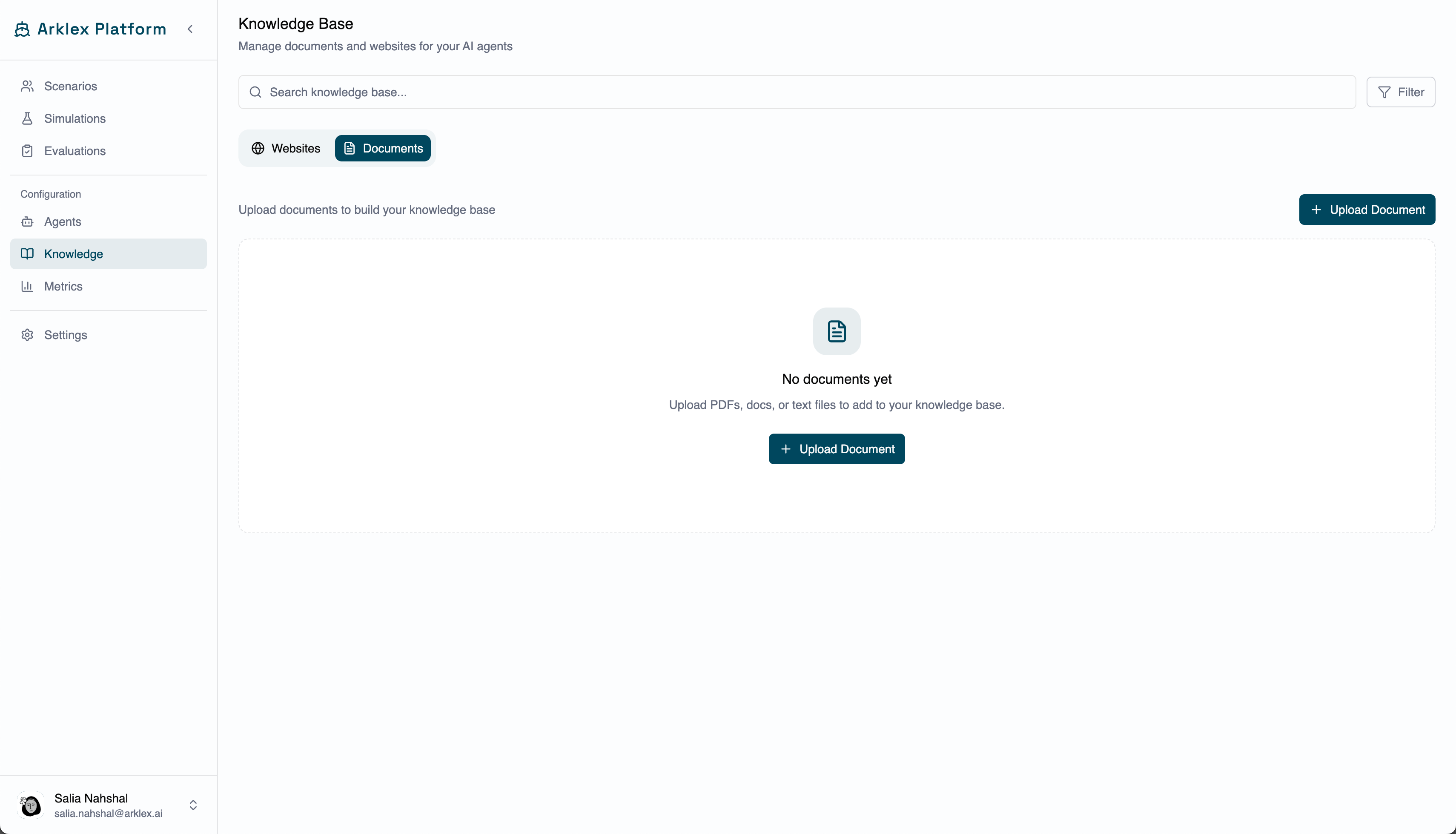
Add websites
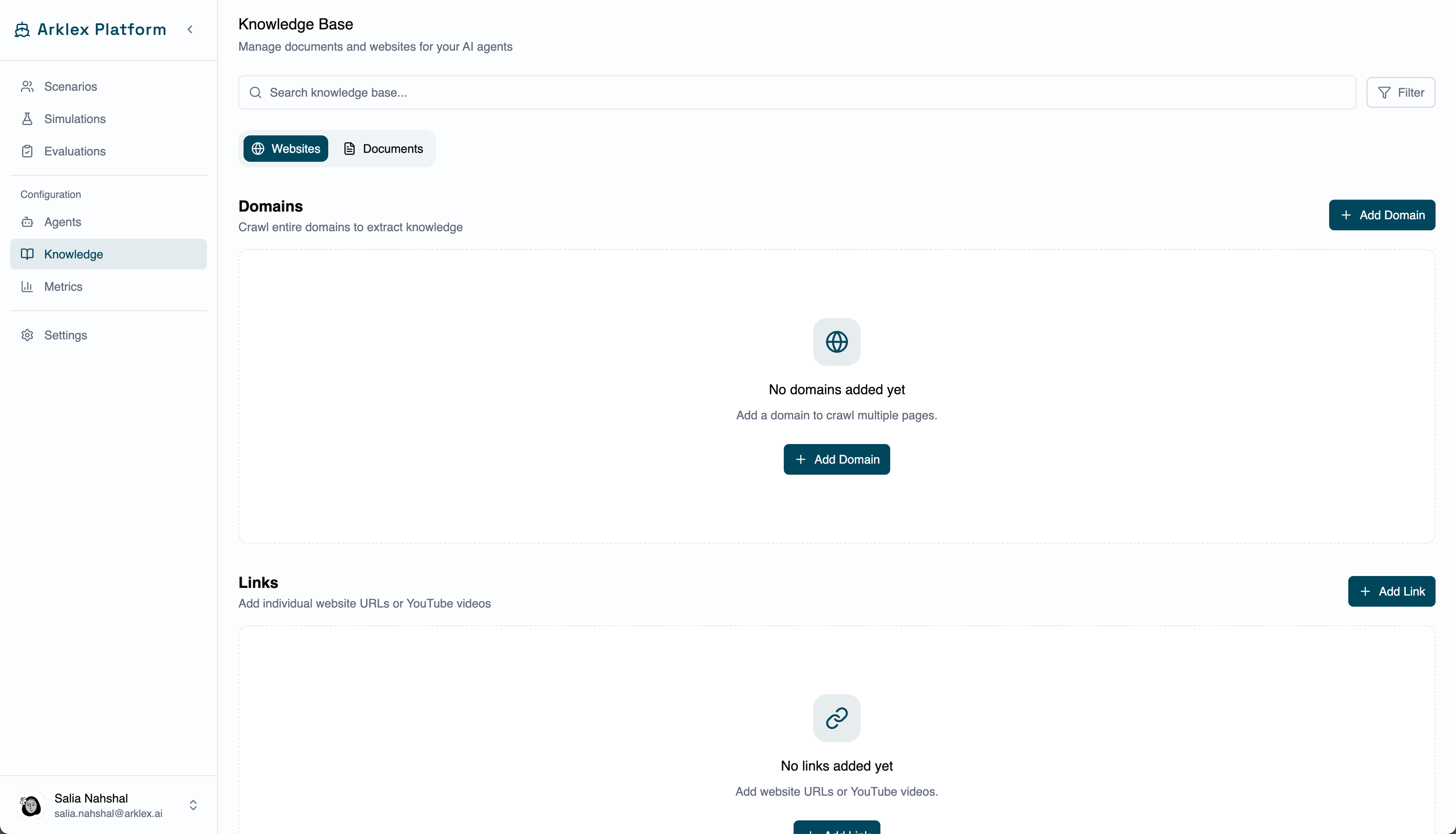
Navigate to Knowledge and select the Websites tab. Two options are available:Add Domain
Crawl and index a domain across linked pages. Set a domain URL and page limit (1–1,000).
Add Link
Index a single URL or YouTube video. Best when you have one specific page or video to add.
Attach knowledge to scenarios
Once documents or websites are in the knowledge base, attach them to individual scenarios on the scenario detail page. A simulated user with attached knowledge references its contents when relevant during a conversation — which powers three kinds of testing:- Faithfulness testing — verifying the agent’s responses align with what a knowledgeable user would expect from documented facts.
- Grounded evaluation — ensuring the agent doesn’t hallucinate information that contradicts the documents the user has access to.
- Edge-case coverage — giving simulated users specific product specs, pricing tables, or policy details that reveal gaps in agent knowledge.
FAQ
What file formats are supported for document uploads?
What file formats are supported for document uploads?
Commonly supported formats include PDF, TXT, and DOCX. If a document fails to process, check that it isn’t password-protected and is within the supported file size limit.
Does adding a website crawl linked pages?
Does adding a website crawl linked pages?
It depends on the option. Add Domain crawls a domain and indexes multiple pages up to the maximum page count you set. Add Link indexes only the single URL or YouTube video you provide.
How current is the indexed website content?
How current is the indexed website content?
Content is indexed when you add the URL. Arklex doesn’t automatically re-crawl when the source page changes — delete and re-add the URL to refresh it.